Wix, Squarespace, WordPress, Shopify — An Honest Comparison
Wix, Squarespace, WordPress, Shopify — each one has a sales pitch. Here's what they don't tell you and who each one is actually for.
 Custom vs TemplatesNo. 11
Wix, Squarespace, WordPress, Shopify — An Honest Comparison
Jul 2026
The Question Every Business Owner Asks
You need a website. You open Google. You type "best website builder for small business." You get 50 articles, most of them written by companies that earn affiliate commissions when you click their links. Every platform is rated 4.5 out of 5. Every platform is "best for" something. None of them tell you the truth about what happens eighteen months in.
This article does not earn a commission from any platform. Engine8 builds custom websites — we have no financial relationship with Wix, Squarespace, WordPress, or Shopify. That means we can tell you exactly what each one does well, where each one falls apart, and when the honest answer is that none of them are the right choice.
If you are weighing the best website platform for small business and want numbers instead of sales pitches, this is the article. For the deeper cost analysis — specifically Shopify vs custom — our hub article Custom Website vs Shopify: The Real Cost Over 3 Years has the full three-year breakdown.
Wix — the Easy Start That Gets Complicated
What it costs: Light plan at $17/month, Core at $29/month, Business at $39/month, Business Elite at $159/month (annual billing). A free tier exists but forces Wix branding and a Wix subdomain — not usable for a real business.
What it does well: Wix has the lowest barrier to entry of any platform on this list. The drag-and-drop editor is genuinely intuitive. Over 2,000 templates. AI-assisted site generation that produces a passable starting point in minutes. For someone who needs a simple brochure site — five pages, contact form, hours and location — Wix gets you there faster than anything else.
Where it gets complicated:
Performance. Wix sites are historically heavy. The editor injects framework code regardless of what your site actually needs, which means page speed suffers. Google's Core Web Vitals directly affect search ranking, and Wix sites consistently underperform compared to clean HTML or modern frameworks.
SEO ceiling. Wix has improved its SEO tools significantly, but the platform still controls your URL structure, limits server-side optimisation, and does not give you low-level access to performance tuning. You can rank — but you are fighting the platform to do it.
Template lock-in. If you pick a Wix template and build out your site, you cannot switch to a different template later without starting over. The design is not portable within Wix itself, let alone outside it.
Storage limits. The Light plan caps storage at 2 GB. Even the Core plan maxes at 50 GB. If you sell products with lots of high-quality images or run a media-heavy portfolio, you hit these walls faster than you expect.
Who it is actually for: Solo practitioners, freelancers, and very small local businesses that need something online quickly and do not anticipate heavy customisation, complex e-commerce, or aggressive SEO campaigns. If your website is a digital business card, Wix is fine.
Squarespace — Beautiful Templates, Limited Flexibility
What it costs: Basic at $16/month, Core at $23/month, Plus at $39/month, Advanced at $99/month (annual billing). The Basic plan charges a 2% transaction fee on sales — the Core plan removes it.
What it does well: Squarespace templates are, objectively, the best-looking of any platform on this list. If design quality matters to your brand — and it should — Squarespace gives you a polished starting point. Photographers, artists, restaurants, and portfolio-based businesses choose Squarespace for good reason. The built-in blogging tools are solid, the scheduling and booking add-ons cover basic service businesses, and the analytics dashboard is cleaner than most competitors.
Where it gets complicated:
Customisation has a hard ceiling. The Core plan unlocks CSS and JavaScript injection, but you are still working within Squarespace's proprietary framework. You cannot install plugins. You cannot add server-side logic. If the template does not support what you need, you either live without it or pay for a developer to hack around the platform's constraints.
E-commerce is an afterthought. Squarespace has added commerce features over the years, but it was built as a content platform. Product management, inventory, multi-variant products, and advanced shipping rules are all weaker than Shopify. If you sell more than a handful of products, you will feel the friction.
Payment processing. Squarespace Payments (powered by Stripe) charges 2.9% + $0.30 on the Basic and Core plans, dropping to 2.7% + $0.30 on Plus and 2.5% + $0.30 on Advanced. The Basic plan adds a 2% platform transaction fee on top. Those percentages compound on high-volume stores.
No app ecosystem. Unlike Shopify and WordPress, Squarespace has a very limited integration marketplace. If you need a feature Squarespace does not offer natively, your options are Zapier workarounds or custom code — and the custom code options are constrained.
Who it is actually for: Design-conscious businesses with relatively simple needs — portfolios, restaurants, professional services, small-catalog e-commerce. If your brand is visual and your requirements are standard, Squarespace delivers the highest design quality per dollar.
WordPress — Powerful But You Need Help
First, the important clarification: there are two things called WordPress. WordPress.org is free, open-source software you download and host yourself. WordPress.com is a hosted platform run by Automattic that charges $4 to $45+ per month (annual billing) for managed WordPress hosting. Most people mean WordPress.org when they say "WordPress," so that is what we are comparing — but WordPress.com exists if you want managed hosting with fewer headaches.
What it costs: WordPress.org is free. Hosting costs $5–$30/month for basic shared hosting, $20–$50/month for quality managed hosting (like WP Engine, Kinsta, or Cloudways). Themes range from free to $60–$200. Premium plugins cost $0–$300/year each. A professional developer to set it up: $2,000–$10,000 depending on scope. Total first-year cost for a proper WordPress site: $3,000–$12,000 if done right.
What it does well: WordPress powers roughly 43% of all websites on the internet. That market share means an enormous ecosystem: over 60,000 plugins, thousands of themes, and a developer pool deeper than any other platform. For content-heavy sites — blogs, media companies, membership sites, online courses — WordPress's content management tools are the most mature in the industry. You can build almost anything on WordPress. The question is whether you should.
Where it gets complicated:
Security is your problem. WordPress is the most targeted CMS on the internet because it is the most popular. Every plugin is a potential vulnerability. Core updates, plugin updates, and theme updates need to happen regularly, and when they conflict — and they will — you need someone who knows how to fix it.
Plugin dependency creates fragility. That contact form? A plugin. That SEO toolkit? A plugin. That caching layer? A plugin. That backup system? A plugin. Each one comes from a different developer, updates on its own schedule, and can break the others. A WordPress site with 20 plugins is 20 independent points of failure.
Performance requires active management. Out of the box, a WordPress site with a page builder theme (Elementor, Divi, etc.) loads slowly. Getting it fast requires caching plugins, image optimisation, CDN configuration, and database maintenance. None of this is hard for a developer — all of it is confusing for a business owner.
You need a developer. This is the fundamental truth about WordPress that the platform's marketing obscures. You can launch a basic WordPress site yourself. You cannot maintain, secure, optimise, and evolve a professional WordPress site yourself — not without it becoming a second job.
Who it is actually for: Content-heavy businesses that need a blog, knowledge base, membership area, or online course platform. Businesses with a dedicated developer or an agency relationship. Companies that need maximum flexibility and are willing to pay for ongoing maintenance. WordPress is the most powerful platform on this list — and the most demanding.
Shopify — the E-Commerce Default (With Hidden Costs)
What it costs: Basic at $39/month, Grow at $79/month, Advanced at $299/month (monthly billing — annual billing drops Basic to $29). Credit card processing at 2.9% + $0.30 on Basic. A 2% additional transaction fee if you use a third-party payment gateway instead of Shopify Payments. Plus plan starts at $2,300/month for enterprises.
What it does well: Shopify is the best out-of-the-box e-commerce platform for straightforward online stores. Product management, inventory tracking, checkout flow, payment processing, shipping label generation — the core commerce features work. Shopify Payments eliminates the third-party transaction fee if you use it. The app ecosystem has over 8,000 integrations. For a standard retail store selling standard products, Shopify gets you selling faster than any other option.
Where it gets complicated:
The $29/month is the starting price, not the real price. The average Shopify merchant spends $80–$120/month after adding essential apps for reviews, email marketing, SEO, loyalty programs, and advanced shipping. Our hub article Custom Website vs Shopify: The Real Cost Over 3 Years runs the full three-year cost analysis.
Customisation hits a wall. Shopify themes use Liquid, a proprietary templating language. If you want something the theme does not support, you either find an app (monthly fee) or hire a Shopify developer to write custom Liquid code. The deeper you customise, the more fragile the site becomes — and the harder it is to switch themes or migrate later.
You do not own the store. Cancel your Shopify plan and your store disappears. The theme stays. Most app data stays. Your URL structure breaks. We covered this extensively in What You Actually Own When Your Website Is Built From Scratch.
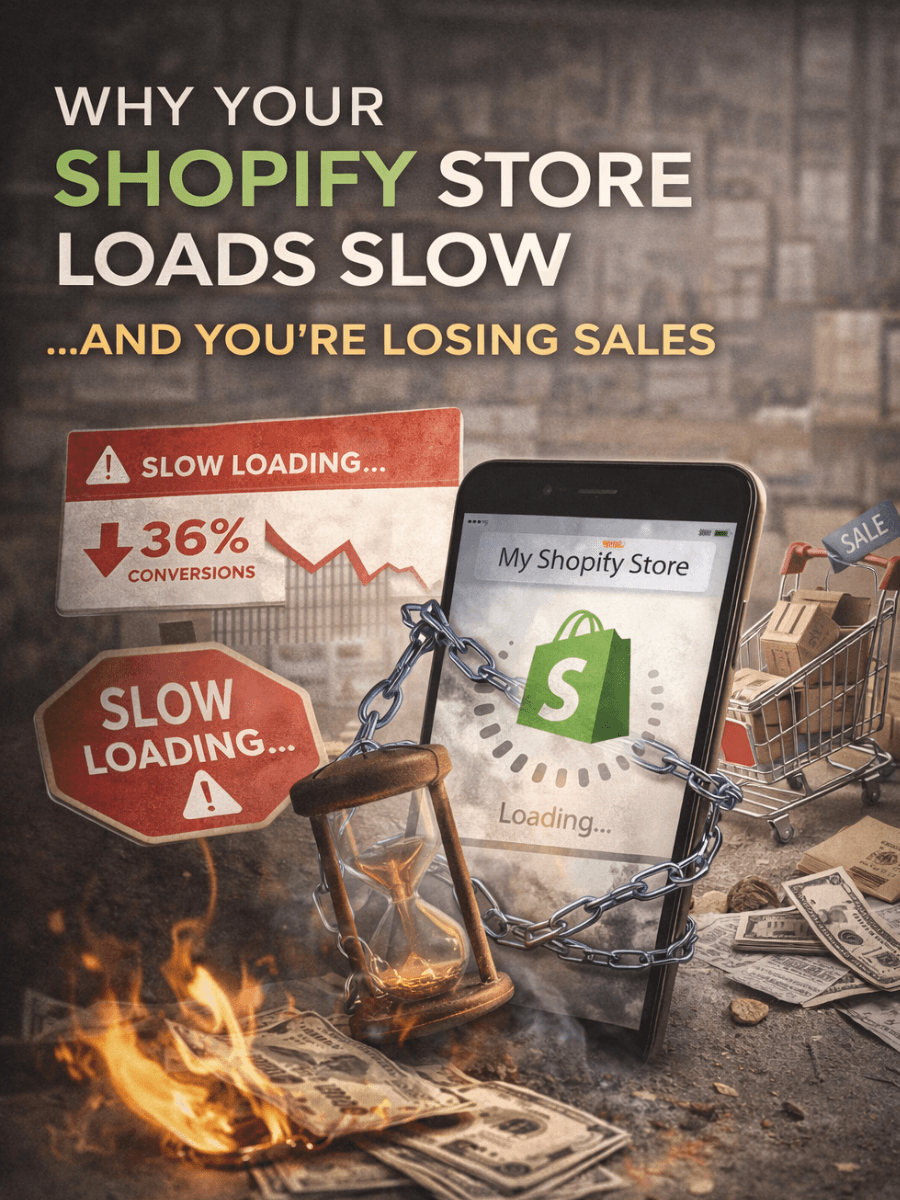
Performance degrades with apps. Every Shopify app injects its own JavaScript. A store with 15–20 apps — which is common — can load 70+ external scripts on every page. That tanks page speed, which tanks conversion rate, which tanks revenue. Why Your Shopify Store Loads Slow and What It's Doing to Your Sales walks through the mechanics.
Who it is actually for: Businesses selling physical or digital products through a standard retail model — fixed catalog, standard pricing, straightforward checkout. If your product line is conventional and you do not need a heavily customised storefront, Shopify is the fastest path to revenue. If your business model is anything non-standard — custom pricing, product configurators, complex B2B workflows — you will be fighting the platform within months.
Fun Facts
WordPress.org powers roughly 43% of all websites on the internet. Shopify powers about 4%. Wix and Squarespace combined account for roughly 5%.
The average Shopify store has 6–8 apps installed. The average WordPress site has 20–30 plugins. Both numbers represent dependency risk that most owners do not think about until something breaks.
Squarespace was originally built as a blogging platform in a University of Maryland dorm room in 2003. The e-commerce features came over a decade later.
Wix's AI website builder can generate a functional five-page site in under 60 seconds. Whether that site ranks, converts, or represents your brand well is a different question entirely.
Shopify's Liquid templating language cannot run outside the Shopify ecosystem. If you migrate, every template you built is left behind — zero portability.
When None of These Are the Right Answer
Here is the part no comparison article ever includes, because comparison articles exist to sell you one of the platforms being compared.
There are businesses and use cases where Wix vs Squarespace vs WordPress vs Shopify is the wrong question — because the answer is "none of the above." You might be in this category if:
You need a product configurator or custom calculator. If customers need to build, customise, or configure products before purchasing — and the logic is more complex than size/colour variants — no template platform handles this well. You need custom engineering.
You need performance that platforms cannot deliver. A static site built with Next.js on Vercel loads in under one second. A Wix site doing the same thing loads in three to five seconds. If your business depends on speed — and every business that depends on Google rankings depends on speed — the gap matters. Engine8 builds on this exact stack, and you can benchmark the difference by running your current site through our free site evaluation.
You need integrations that go beyond Zapier. Real-time API connections to your CRM, ERP, inventory management system, or booking platform — not webhook-delayed, not Zapier-piped, but direct, server-side integrations that behave like one system instead of six duct-taped together.
You are spending more on the platform than a custom build would cost. When your Shopify bill hits $150–$200/month in apps, fees, and plan costs, and your WordPress developer retainer is $500/month to keep the lights on — you have already crossed the threshold where a custom build pays for itself within two to three years. The Hidden Monthly Fees of Template Platforms Nobody Warns You About makes this math explicit.
You sell unique products that do not fit standard e-commerce. Custom furniture, made-to-order goods, configurable services — these businesses need workflows that platforms were not designed for. Selling Unique Products Online Without Getting Trapped by a Platform covers this gap.
Think of it like this: template platforms are rental cars. They get you from A to B. They are convenient. They work. But if your job requires hauling custom equipment across unpaved terrain every day, what you actually need is a vehicle built for the job — not a Hertz sedan with a roof rack bolted on.
If the DIY approach brought you to this comparison — maybe someone told you to "just pick one and figure it out" — "My Nephew Built My Website" — When DIY Costs More Than Hiring a Pro covers the hidden cost of that advice. And for a plain-language breakdown of why page speed differences between platforms translate directly to lost revenue, Page Speed Matters: Why a Slow Website Loses You Money puts numbers on it.
When the budget question comes up — and for every business it does — When a $500 Website Is Fine (And When It's Costing You Money) helps you draw the line between smart spending and false economy.
The Engine8 Approach
Engine8 builds custom websites and web engines for businesses that have hit the ceiling of what template platforms can do. No app subscriptions. No platform fees. No proprietary lock-in. Every site is engineered from scratch — built to load fast, rank well, convert visitors into customers, and belong entirely to the business that paid for it.
If this website builder comparison for business owners left you realising your business has outgrown the template phase — or if you are still on the fence and want to see the data — start a conversation. We will pull up your current site's performance, show you what a custom build looks like for your specific business model, and give you an honest recommendation — even if that recommendation is to stay where you are. No pitch decks. No filler. Just engineering.
Your move
Want leads from content like this?
Get a custom web engine with built-in SEO, analytics, and conversion systems.
Explore related keywords
Your move
Turn this strategy into a production-ready growth engine.
We design, build, and ship custom systems that combine SEO, conversion architecture, and operations automation into one platform.