Why Your Shopify Store is Slow and What It's Doing to Your Sales
Every app you added to your Shopify store made it a little slower. Here's what that sluggishness is actually costing you in lost sales.
 Custom vs TemplatesNo. 14
Why Your Shopify Store is Slow and What It's Doing to Your Sales
Aug 2026
Your Shopify Store Is Slower Than You Think
Go to Google PageSpeed Insights right now, type in your store URL, and hit Analyse. Do it on your phone if you want the real picture — because that is where most of your customers are shopping.
If you are like the majority of Shopify store owners, your mobile performance score is somewhere between 20 and 45 out of 100. That is not a failing grade on some obscure technical test. That is Google telling you, in plain numbers, that your store takes too long to show your products, too long to respond when someone taps a button, and too long to stop jumping around while images and scripts fight for loading priority.
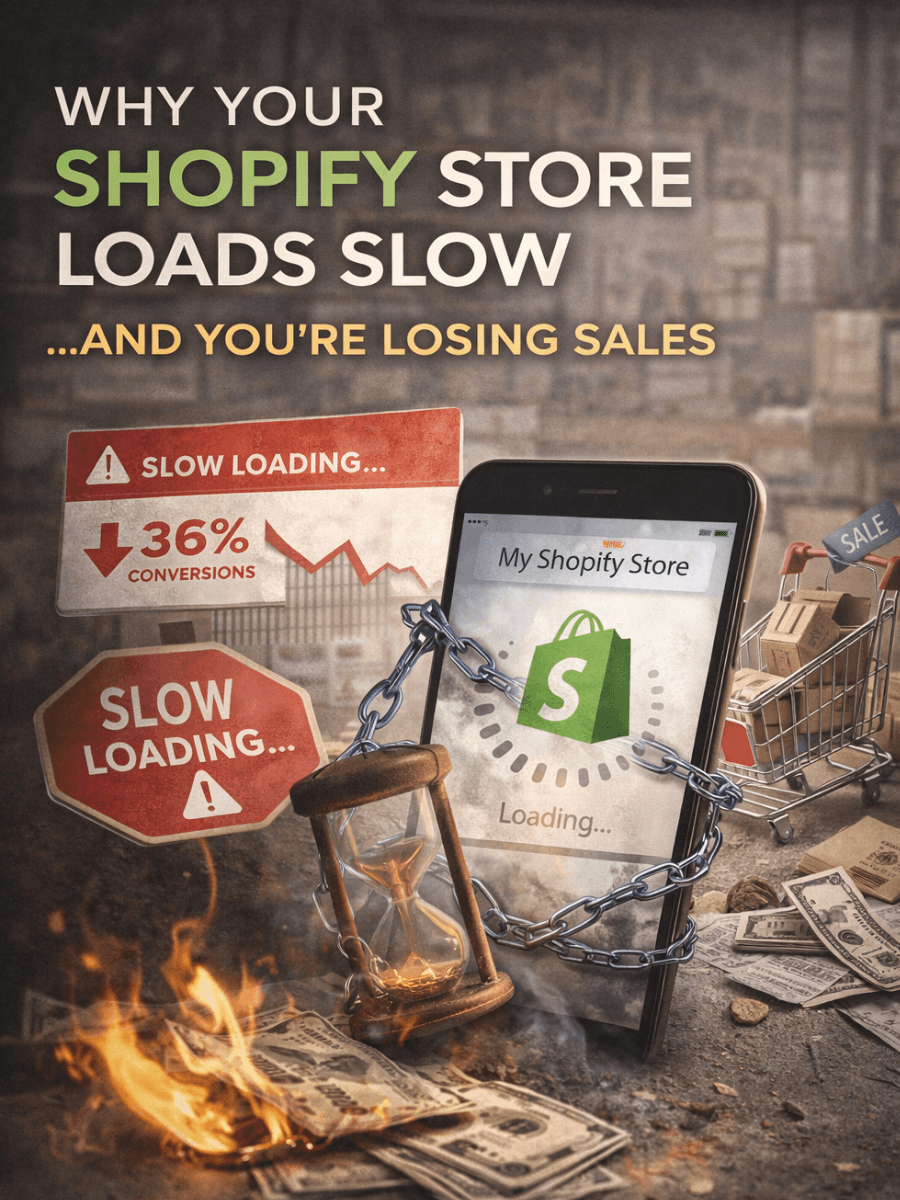
And here is the part that actually matters: Shopify speed and sales are directly linked. Research from Portent analysing over 100 million page views found that e-commerce sites loading in one second convert at 3.05%, compared to just 0.67% at four seconds. That is not a rounding error — a one-second site converts at roughly 4.5 times the rate of a four-second site. For a store doing $10,000 a month, that gap represents thousands of dollars in revenue you are not collecting. For the full three-year cost picture, including what those lost sales compound into, see our hub article Custom Website vs Shopify: The Real Cost Over 3 Years.
Why Shopify Gets Slow — The App Problem
Every app you install on Shopify injects JavaScript into your storefront. Not some apps — every app. Review widgets, email capture pop-ups, upsell carousels, loyalty badges, countdown timers, SEO tools, chat widgets, analytics trackers. Each one drops a script tag into your theme, and each script has to be downloaded, parsed, and executed before your page is fully interactive.
The typical Shopify store runs 6 to 8 apps. Ambitious store owners — the ones who followed every "must-have apps" blog post — are running 15 to 25. Each of those apps loads its own JavaScript bundle, its own stylesheets, and often its own fonts. Some of them load tracking pixels that call out to third-party servers. Some of them load entire frameworks just to render a single widget.
Think of it like this: every app is a passenger climbing into the same car. The first three or four do not slow you down much. By the tenth, you are dragging. By the twentieth, the car barely moves — and every one of your customers is sitting in traffic watching the loading spinner while your competitors' pages are already showing products.
And here is the part nobody warns you about: uninstalling an app does not always remove its code. Many Shopify apps inject snippets directly into your theme files during installation. When you uninstall, the app disappears from your dashboard, but those code fragments remain embedded in your theme, still loading on every page visit, still slowing things down. It is like removing a bumper sticker by peeling off the top layer — the adhesive residue stays forever unless someone goes in and manually scrapes it off. That cleanup requires a developer who knows Liquid, Shopify's proprietary templating language, and most store owners have no idea the residue is there.
Every one of those apps costs money, too. The Hidden Monthly Fees of Template Platforms Nobody Warns You About breaks down exactly how much the app tax adds up to — but the performance cost might be even more expensive than the subscription fees.
The Theme Factor
Your theme is the foundation your store loads on top of. If the foundation is heavy, everything stacked on it is heavier.
Free Shopify themes are designed to work for every type of store — fashion, electronics, food, digital products, services. That versatility comes at a cost: they ship with code for features you will never use. Mega-menu systems for stores with three products. Slideshow scripts for stores that use a static hero image. Animation libraries for stores that do not animate anything. The theme loads all of it anyway, every single page view, because it does not know which features you need and which you do not.
Premium themes are often worse. They justify their $250–$350 price tag with feature lists — quick-view modals, infinite scroll, product zoom, colour swatch previews, video backgrounds, parallax scrolling. Every feature is more JavaScript bundled into the theme. Store owners buy premium themes expecting better performance. What they get is a theme that looks better in the demo (where it is running on fast servers with optimised images) and performs the same or worse in production with real products and real apps layered on top.
Think of it like this: a free theme is a Swiss Army knife — it has a blade, a corkscrew, a screwdriver, tweezers, and a toothpick, even if you only need the blade. A premium theme is a bigger Swiss Army knife with even more tools you will never open. What you actually need is a sharp kitchen knife — one tool, purpose-built, no dead weight.
What Slow Speed Actually Does to Your Sales
This is where vague "speed matters" advice turns into dollars. The data is unambiguous:
A Cloudflare study found that a two-second delay in page rendering leads to roughly a 4% loss in revenue per visitor. On a store doing $10,000 per month, that is $400 per month — $4,800 per year — evaporating because of load time alone.
Portent's analysis of over 100 million page views showed that the highest e-commerce conversion rates occur at 1–2 second load times. Every additional second costs an average of 0.3% in e-commerce conversion rate. That does not sound like much until you multiply it across thousands of visitors per month.
Google uses Core Web Vitals — Largest Contentful Paint (how fast your main content appears), Interaction to Next Paint (how quickly the page responds to taps), and Cumulative Layout Shift (how much the page jumps around while loading) — as ranking signals. A Shopify store slow loading experience does not just lose you sales from visitors already on your site. It pushes you down in Google results, which means fewer visitors arrive in the first place.
Let us make this concrete. Say your store gets 5,000 visitors per month and converts at 1.5% with an average order value of $65. That is 75 orders and $4,875 in revenue. Now say your site loads two seconds faster and your conversion rate jumps to 2.1% — a conservative improvement based on the Portent data. That is 105 orders and $6,825 in revenue. Same traffic, same products, same prices. $1,950 more per month — $23,400 more per year — from nothing but speed.
And that does not account for the SEO improvement from better Core Web Vitals scores, which brings more traffic, which multiplies the conversion gains further. For a broader look at how bounce rates destroy revenue across all business types, not just e-commerce, read What Happens When a Customer Visits Your Site and Leaves in 3 Seconds.
What You Can Do Within Shopify
Before you abandon ship, there are things worth trying inside the platform. Some of them are free. Some of them are not. None of them will give you a perfect score — but they can close the gap:
Audit your apps ruthlessly. Go to Settings → Apps and sales channels. For every app, ask: is this directly contributing to revenue? If the answer is "maybe" or "I'm not sure," uninstall it. Track your speed score before and after. You will be surprised how much two or three rarely-used apps were costing you. Then hire a Shopify developer for an hour to check your theme files for leftover code from old apps you already uninstalled. That one hour of cleanup can be worth more than any speed-optimisation app you could install.
Compress your images before uploading. Shopify does some automatic image optimisation, but it is not aggressive enough. Run every product image through a tool like TinyPNG or Squoosh before uploading. Target file sizes under 200KB for product images and under 500KB for hero banners. Use WebP format if your workflow supports it — it delivers the same visual quality at 25–35% smaller file sizes than JPEG.
Switch to a lighter theme. If you are on a bloated premium theme, consider Dawn — Shopify's reference theme built on Online Store 2.0. It is free, lightweight, and designed with performance in mind. It will not win design awards, but it loads fast. If Dawn is too bare-bones, look for themes that list their performance score in the Shopify Theme Store — the ones that brag about it tend to deliver.
Reduce your homepage elements. Every slideshow, every auto-playing video, every animated banner, every social media feed embed is another chunk of code loading on the page your visitors land on first. Distil your homepage down to the essentials: a strong hero image (not a slideshow), your key product categories, social proof, and a clear call to action. Everything else is costing you speed and, by extension, sales.
Lazy-load everything below the fold. Shopify supports lazy loading for images — make sure it is turned on in your theme settings. Any content the visitor cannot see without scrolling should not load until they scroll to it. This is the single most effective quick fix for Largest Contentful Paint scores.
When You Have Hit Shopify's Performance Ceiling
Here is the honest part: there is a floor beneath which Shopify cannot go. You can audit every app, compress every image, switch to the leanest theme available, and your store will still carry platform overhead that you cannot remove.
That overhead includes:
Shopify's own JavaScript bundle. The platform injects its own scripts for analytics, checkout, and storefront features. You cannot remove them. On mobile, this baseline JavaScript alone can account for 300–500KB of parsed code.
Server response time. Shopify is a shared hosting platform. Your store shares infrastructure with millions of other stores. During high-traffic events — Black Friday, Product launches, flash sales — response times can spike. You have no control over the servers.
Liquid rendering. Shopify's templating engine, Liquid, renders pages on the server. Complex product pages with many variants, metafields, and section blocks take longer to render. Unlike a custom Next.js or React build where you can use static generation, incremental static regeneration, or edge rendering to serve pages in milliseconds, Liquid renders every request dynamically.
Third-party script blocking. Even after you remove every unnecessary app, Shopify injects its own third-party scripts — Shopify Analytics, Shopify CDN scripts, payment processing scripts. Some of these are render-blocking, meaning the browser cannot show your content until they finish loading.
Engine8 builds on Next.js with edge deployment, which means pages are pre-rendered and served from the server closest to the visitor — often in under 200 milliseconds. No platform JavaScript overhead. No shared hosting bottleneck. No templating engine adding processing time to every page load. Run your store through our free site evaluation to see how your current Shopify performance stacks up against what is technically possible — it takes 60 seconds and shows you exactly where the bottlenecks are.
For a deeper dive into why page speed is a business metric and not a developer metric, Page Speed Matters: Why a Slow Website Loses You Money covers the full picture for every type of business site, not just e-commerce.
Fun Facts
Google's recommended Largest Contentful Paint target is 2.5 seconds or less. The average Shopify store on mobile lands between 4 and 8 seconds — two to three times the recommended maximum.
A single chat widget app can add 200–400KB of JavaScript to your storefront. That is roughly the same weight as an entire custom-built product page including images.
Shopify's own reference theme, Dawn, scores 60–80 on mobile PageSpeed Insights when tested clean with no apps. By the time a real store adds reviews, email capture, and analytics, that score typically drops to 25–45.
Amazon found that every 100 milliseconds of added latency cost them 1% in sales. Your Shopify store is not Amazon, but your customers have the same expectations because Amazon and other fast sites trained them.
How to Speed Up Shopify Store Performance — Or Know When to Stop Trying
Here is the honest framework. If your store is doing under $5,000 per month, the optimisations above — app audit, image compression, theme switch — are probably enough. The speed gains from those changes will recover meaningful revenue without a major investment.
If your store is doing $5,000 to $20,000 per month, the calculation changes. At that revenue level, a two-second improvement in load time can recover $500 to $2,000 per month in conversion gains. That is $6,000 to $24,000 per year. At that point, the cost of a custom-built storefront — which eliminates platform overhead entirely — starts paying for itself within the first year.
If your store is doing $20,000 or more per month, you are leaving serious money on the table every day your store loads in four seconds instead of one. The math is not subtle and the answer is not "install another app to fix the problem that apps created."
Think of it like this: you are running a shop where the front door sticks. For a small shop, you sand the door and it is fine. For a medium shop, the sticking door is costing you a few customers a day — worth fixing properly. For a busy shop, every second that door sticks is a customer who walks next door instead. At some point, you do not need a better door — you need a better building.
What You Actually Own When Your Website Is Built From Scratch explains the ownership side of moving off Shopify. And Wix, Squarespace, WordPress, Shopify — An Honest Comparison lays out how the other template platforms compare on performance — spoiler: they all hit the same ceiling.
The Engine8 Approach
Engine8 builds custom storefronts and business sites that load in under one second on mobile. No platform JavaScript overhead, no app bloat, no shared hosting lottery. Every page is pre-rendered and served from the edge. Every feature is built into the codebase — not bolted on as a third-party subscription. The result is a site that scores 90+ on PageSpeed Insights, ranks better in Google, converts more visitors into customers, and costs less to run every month than a Shopify store with a dozen apps.
If your speed test made you wince, or if you have already optimised everything within Shopify and your scores have barely moved — start a conversation. We will look at your current setup, identify what is dragging your performance down, and show you what a custom-built alternative looks like for your specific business. No pitch decks. No filler. Just engineering.
Your move
Want leads from content like this?
Get a custom web engine with built-in SEO, analytics, and conversion systems.
Explore related keywords
Your move
Turn this strategy into a production-ready growth engine.
We design, build, and ship custom systems that combine SEO, conversion architecture, and operations automation into one platform.